Wik
About
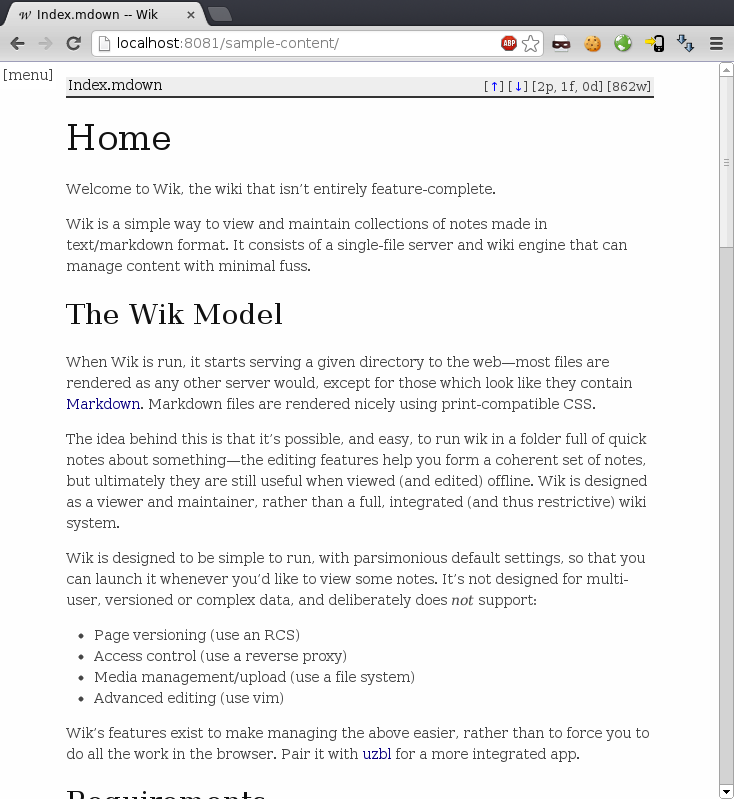
Wik is almost, but not quite, a wiki. It’s a front-end for reading collections of text files and other documents as notes in a browser, and was designed as a workbench so that I could easily and quickly view documentation in projects. It’s a single file, and can quickly be run in a given folder to give an overview of its contents in a readable and easily-accessible way.
The focus of Wik is on document consumption—it formats its text output in a very readable style (thanks to Jason Milkins), and displays other documents raw (such as images) for easy review. A print stylesheet is provided, and content scales to fit on mobile device screens.
Limited editing functions are also available, and pages can be created, deleted and modified through a web interface. File uploads are also supported. These editing functions are for convenience only, and Wik deliberately neglects features of other wikis, in that it does not support versioning, multiple users/locking, etc.
Wik’s written in ruby, and requires:
- ruby 1.9.1 or above
- the
markdownandmime-typesgems
Download
Download from the git summary page.
Usage
Wik’s own README file is viewable in wik simply by running
$ ./wik
…and then visiting http://localhost:8080 in a browser.
Configuration
Wik can be configured using a file in /etc/ or in the current working directory (an example config file is bundled), and accepts the following command-line flags:
$ ./wik -h
Usage: wik [options]
    -i, --interface INTERFACE        Listen on the given interface (default is 127.0.0.1, set to  for all)
    -p, --port PORT                  Port to listen on
    -n, --daemonise                  Daemonise process
    -r, --read-only                  Disable editing features
    -x, --external-editing           Enable external edit links (disabled if interface is not '127.0.0.1')
    -w, --no-web-editing             Disable web edit box
    -m, --no-menu                    Disable menu
    -t, --no-toc                     Disable table-of-contents
    -u, --uploads                    Allow file uploads
    -d, --directory DIR              The directory in which to find content
    -D, --default INDEX              Index page name
    -e, --edit-pw PASSWORD           The password to use to prevent editing (insecure without SSL)
    -C, --no-clean-dirs              Leave empty directories when deleting blank files
    -f, --favicon ICON               Read favicon from file
    -b, --blacklist REGEX            Blacklist a certain regex from file listings (i.e. hidden files, RCS files)
    -B, --browser CMD                Browser command to launch after starting (quits when browser process ends)
    -c, --config FILE                Read configuration from the given file